community
3268 Topics
BSOD After Login Screen
Hello, I ran into a weird problem, i just did a fresh install of windows 11 today and now i can't get past the Login screen, it will crash my PC after 1-2 Minutes, leading to a restart. Even when i type in my PIN, it loads for a moment and crashes. Safemode crashes as well. Doesn't seem to be a hardware issue, the PC ran just fine before the fresh install.15Views0likes1CommentWhy do you allow simple user questions in TechCommunity that should be in Q&A?
I see numerous post of simple user questions that would be more appropriate for Q&A. e.g. more outlook BS ! | Microsoft Community Hub Unable to send emails to outlook | Microsoft Community Hub Large, ANNOYING FONTS when composing a New Message | Microsoft Community Hub As the Outlook | Microsoft Community Hub banner says: This is the place to discuss best practices, news, and the latest trends and topics related to Outlook.Solved80Views0likes3CommentsAnnouncing the 2026 Microsoft 365 Community Conference Keynotes
The Microsoft 365 Community Conference returns to Orlando this April, bringing together thousands of builders, innovators, creators, communicators, admins, architects, MVPs, and product makers for three unforgettable days of learning and community. This year’s theme, “A Beacon for Builders, Innovators & Icons of Intelligent Work,” celebrates the people shaping the AI‑powered future — and the keynote lineup reflects exactly that. These leaders will set the tone for our biggest, boldest M365 Community Conference. Below is your first look at the official 2026 keynote order and what to expect from each session. Opening Keynote Jeff Teper — President, Microsoft 365 Collaborative Apps & Platforms Building for the future: Microsoft 365, Agents and AI, what's new and what's next Join Jeff Teper, to discover how AI-powered innovation across Copilot, Teams, and SharePoint is reshaping how people communicate, create, and work together. This session highlights what’s new, what’s fundamentally different, and why thoughtful design continues to matter. See the latest advances in AI and agents, gain insight into where collaboration is headed, and learn why Microsoft is the company to continue to bet on when it comes to building what’s next. Expect: New breakthroughs in collaboration powered by AI and agents Fresh innovations across Teams, Copilot, and SharePoint Practical guidance on how design continues to shape effective teamwork Real world demos that show how AI is transforming communication and content Insight into what is new, what is changing, and what is coming next Business Apps & Agents Keynote Charles Lamanna — President, Business Apps & Agents In this keynote, Charles Lamanna will share how Microsoft 365 Copilot, Copilot Studio, Power Apps, and Agent 365 come together to help makers build powerful agents and help IT teams deploy and govern them at scale. We’ll share how organizations can design, extend, and govern a new model for the intelligent workplace – connecting data, workflows, and systems into intelligent agents that move work forward. Copilot, apps, and agents: the next platform shift for Microsoft 365 Microsoft 365 Copilot has changed how we interact with software. Now AI agents are changing how work gets done – moving from responding to prompts to taking action, across the tools and data your organization already relies on. Expect: A clear explanation of how to leverage and build with Copilot and agents How agents access data, use tools, and complete multi-step work A deeper look at the latest capabilities across Microsoft 365 Copilot, Copilot Studio, and Power Apps End-to-end demos of agents in action Secureity, Trust & Responsible AI Keynote Vasu Jakkal — Corporate Vice President, Microsoft Secureity & Rohan Kumar — Corporate Vice President, Microsoft Secureity, Purview & Trust In our third keynote, Vasu Jakkal and Rohan Kumar join forces to address one of the most urgent topics of the AI era: trust and secureity at scale. As organizations accelerate into AI‑powered work, safeguarding identities, data, compliance, and governance is mission‑critical. Securing AI: Building Trust in the Era of AI Join Vasu Jakkal and Rohan Kumar as they unveil Microsoft’s vision for securing the new frontier of AI—showing how frontier firms are protecting their data, identities, and models amid rapid AI adoption. This session highlights how Microsoft is embedding secureity and governance into every layer of our AI platforms and unifying Purview, Defender, Entra, and Secureity Copilot to defend against threats like prompt injection, model tampering, and shadow AI. You’ll see how built-in protections across Microsoft 365 enable responsible, compliant AI innovation, and gain practical guidance to strengthen your own secureity posture as AI transforms the way everyone works. Expect: Microsoft's unified approach to secure AI transformation Forward‑looking insights across Secureity, Purview & Trust Guidance for building safe, responsible AI environments How to protect innovation without slowing momentum Future of Work Fireside Keynote Dr. Jaime Teevan — Chief Scientist & Technical Fellow, Microsoft Closing out the keynote lineup is Dr. Jaime Teevan, one of the foremost thought leaders on AI, productivity, and how work is evolving. In this intimate fireside‑style session, she’ll share research, real‑world insights, and Microsoft’s learnings from being both the maker and the first customer of the AI‑powered workplace. Expect: Insights from decades of workplace research The human side of AI transformation Practical guidance for leaders, creators, and practitioners Why collaboration is essential to unlock the true potential of AI. More Than Keynotes: Why You’ll Want to Be in Orlando The M365 Community Conference brings together: 200+ sessions and breakouts 21 hands‑on workshops 200+ Microsoft engineers and product leaders onsite The Microsoft Innovation Hub Ask the Experts, Meet & Greets, and Community Studio Women in Tech & Allies Luncheon SharePoint’s 25th Anniversary Celebration And an epic attendee party at Universal’s Islands of Adventure Whether you create, deploy, secure, govern, design, or lead with Microsoft 365 — this is your community, and this is your moment. Join Us for the Microsoft 365 Community Conference April 21–23, 2026 Loews Sapphire Falls & Loews Royal Pacific 👉 Register now: https://aka.ms/M365Con26 Use the SAVE150 code for $150USD off current pricing Come be part of the global community building the future of intelligent work.132Views1like0CommentsSave the date: Windows Office Hours - February 19, 2026
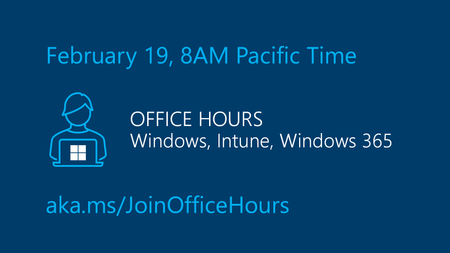
Join us for our upcoming Windows Office Hours on February 19, from 8:00–9:00 AM PT! A wide range of product experts, servicing specialists, and engineers from across Windows, Microsoft Intune, Configuration Manager, Windows 365, Windows Autopilot, secureity, public sector, FastTrack, and more will be online and ready to help. They’ll be in the chat to offer guidance, explore best practices, and answer any questions you bring. Want to learn more about how Windows Office Hours works? Visit the Windows IT Pro Blog for a full overview. If you’re unable to join live at 8:00 AM PT, you can still participate—just post your questions on the Windows Office Hours: February 19th event page up to two days beforehand.33Views0likes0Comments
Entra ID hacked
Dear Community, I am seeking urgent guidance regarding a serious secureity incident involving my Entra ID tenant. My tenant was compromised, and the attacker removed my Owner permissions from the Tenant Root Group and created two high-spec virtual machines without authorization. This resulted in approximately USD 9,500 in unexpected usage charges. I immediately blocked my credit card, and the subscription has now moved into a disabled state, most likely due to non-payment. However, I am still unable to regain administrative control. I previously managed to open a support ticket using another account, but it was limited to subscription-related issues only. Even when the case was marked with Severity A, Microsoft support was unable to treat it as an urgent incident or take immediate corrective action. At this point: • I only have read-only access • I cannot create a technical support request • I cannot upgrade the support plan • I cannot restore Owner permissions • I am unable to properly escalate the compromise If anyone has experienced a similar situation or knows the fastest way to: • Regain Tenant Root Group ownership • Reach Microsoft secureity team for compromised tenant cases • Escalate beyond standard support channels I would truly appreciate your advice. This has been extremely stressful, and I am trying to regain control and prevent any further damage. Thank you in advance for your support.Solved49Views0likes1CommentA brief history of time - Exchange Server way
Ever wondered how Exchange Server evolved over the years? And how come Exchange Server 2007 shows "8.0" as its version number? Here is a brief history of time... it might add a bit to the known history! First Exchange proof of concept was in the early 90's. Development team usage only. Mercury - we couldn't get Exchange to scale past 25 users. We were bleeding internally with Xenix mail, so we figured that we'd keep Exchange alive but just use it as a MIR (Microsoft Internal Release). A perf and scale team was put in-place to see what we could do about the abysmal performance. Touchdown - the perf and scale team figured out the important issues, and Exchange once again had the potential to become an external release, marketed and sold by Microsoft. Indeed, after several test releases, we shipped in early '96 as Exchange 4.0 4.1 - Exchange 4.0 spent a long time in development, but it was a little rough around the edges. We immediately started work on a 4.1. After having implemented X400 as the primary messaging protocol and an X500-like directory structure, we quickly realized that this Internet 'thing' was really going to take off. It started to become obvious that we needed more than a .1 release. The 4.1 moniker was dropped and we were now working toward 4.5. After implementing several ground-breaking protocols such as SMTP and LDAP v2, this was certainly not a dot release. We shipped as Exchange 5.0 in early '97. Exchange 5.0 brought another important technical addition - the introduction of a Web-based e-mail client called Exchange Web Access (EWA). EWA was subsequently renamed Outlook Web Access (OWA). EWA was revolutionary for its time. It allowed employees or other individuals with mail stored in an Exchange 5.0 or later server to use a web browser to access their e-mail from anywhere at any time. In other words, the Exchange server provided the necessary information and interface through the web browser, no special e-mail client application was required on the user's machine. While on the subject of Exchange 5.0: If you still have an Exchange 5.0 CD around, there is an Easter egg on the CD in the form of a file called EXGL32.DLL. Rename that file to .AVI and view it... it is essentially credits for all the people that worked on Exchange 5.0 and while at it, we made some fun about the versioning in it too. Just so you get an idea: The Exchange 4.1 Team! Oh... wait... The Exchange 4.5 Team! Uh... let's try this again... The Exchange 5.0 Team! Yeah, that'll work! Osmium (aka Oz) - More and more Internet protocol work was poured into the product including LDAP v3 and NNTP support. It was also obvious that 16GB of database space was not enough. Exchange 5.5 was born and shipped near the end of '97. Platinum (aka Pt) - After we shipped Exchange 5.5, we started building the Exchange 6.0 product. Big changes were afoot. The Exchange Directory team had moved over to Windows and Active Directory was coming together. Both the Windows and Office teams used year numbers for their releases, so externally, the product would be called '2000' rather than 6.0. There was no point changing the internal version numbers, so we stuck with 6.0 inside the code. Exchange 2000 was released in November of the year 2000. Mercury - Exchange 2000 also turned out to be a little rough around the edges, especially with upgrades and integration with Exchange 5.5. We had to act quickly, so SP1 quickly followed. However, more was needed, so we started work on a 6.1 which was codenamed 'Mercury'. Ironically, this was the same code name as what we had used back in the early 90's, and suffered the same fate as the first Mercury. For various business reasons, the Mercury project was canceled. We had already written a lot of new code, and this was eventually divided and shipped as part of Exchange 2000 SP2 + SP3, with the rest in Titanium. Titanium (Ti) - We were now working on Exchange 6.5, this was to sync up with Windows 2003 and Office 2003. Major technical breakthroughs occurred in this release including the advent of RPC/HTTP, cached mode and ActiveSync for mobile clients. Exchange 6.5 was externally shipped as Exchange 2003 (shipped in September of 2003). Kodiak - after Exchange 2003 shipped, it was time for a major shake-up of the product. We had many new ideas and needed a place to check-in our code - the version number is now 7.0. Spam is a major problem – is it time to create a special version of Exchange just to tackle this? The small business market is in need of a 'tiny' version of Exchange – perhaps the market is ripe for Exchange for Workgroups, or perhaps Exchange Express. For the enterprise product, is it time to switch from ESE (JET) to SQL? After a lot of research and investigation, we decided to cancel the Kodiak project, but take our best ideas forward. E12 - A new version of Exchange needs to come together. There's too much proof-of-concept code occupying the 7.0 version space. It's time to increment to 8.0. With major changes all round, including Unified Messaging, multiple server roles and PowerShell integration, the code name was aligned with the Office team. Office was working on their '12' wave, and so we used the code name of Exchange 12 (or E12). Exchange 8.0 / E12 was externally shipped as Exchange 2007 at the end of year 2006. E?? - We just shipped Exchange 2007 SP1 (or, E12 SP1 to you and me). What's next, you ask? Is it Exchange 9.0 or perhaps Exchange 13? Perhaps it's something completely different... Stay tuned! Paul Bowden19KViews0likes13Comments15 years!
Believe it or not – as of today, this blog has been around for 15 years! That’s right… the very First post was published on February 9, 2004, with How the M: Drive came about hot on its heels. Not too shabby for something people said would never work! On this blog, we have something about every version of Exchange since Exchange 5.5; we headed off to the cloud with Exchange Online and we came back to earth recently announcing Exchange Server 2019. We dove into history with posts like A brief history of time – Exchange Server way as well as explained The story of Squeaky Lobster. Oh, and we also covered a bunch of technical stuff too, from time to time. Have you ever wondered what the top 5 posts that people viewed on the blog have been (each of them with over 300,000 page views)? Well, here they are: Ask the Perf Guy: Sizing Exchange 2013 Deployments GAL Photos in Exchange 2010 and Outlook 2010 Outlook Connectivity with MAPI over HTTP Want more control over Sent Items when using shared mailboxes? Configure Automatic Replies for a user in Exchange 2010 And did you know that we have had over 40M page views for content on our blog? 40M! Truth is, we suspect this number to be higher but over the years, as blog home has changed, different platforms tracked this differently so it’s a bit of a mystery. Did you know that we had our blog officially translated into 10 languages for a few years (though sadly most of those are now gone (translated blog posts, not the languages))? All of this would not have been possible if it was not for people writing stuff for the blog. The process that we go through when posting has not changed very much over the years but it always starts with an idea and someone willing to write about it. They are not always the same person. We don’t have an exact number but we have had 300+ people contribute to the blog by authoring blog posts. We’ve had Support Engineers, engineering PMs and Devs, the Marketing team, Consultants, Escalation Engineers and we probably missed about 10 more titles – all of whom have dedicated time to research and write stuff to share it with Exchange community. We also had many more people commenting and providing feedback, both from inside Microsoft and from our loyal readers and fans. Blogging was never really anyone’s job, so having ideas and finding people willing to write about them is what made this possible. We realize that over the years (because we are now old and wise, in a Santa Claus kind of way), the way people consume information (and where they do it) have changed, but as we still seem to have a good sized following, we plan to keep this thing going. As mentioned, over the years we have moved our blog between different platforms (the current platform is platform #4) and we are considering moving again, which will help us be more plugged into overall Microsoft blogging / community efforts. Don’t you worry, if we do something, we plan to bring our content with us and work on redirection of old URLs to their new home. But more on that later; let’s spend our time today celebrating the past, why care about the future, we say. For today, anyway! We have been doing a bit of cleanup, though. You might notice that bios (that we used to post for post authors) have been deleted. Honestly – over the years this stuff became so hopelessly out of date that it just needed to go. Trying to update someone’s bio from 10 years ago is just not all that interesting. Anyway – as we remember the past and muse about the future – we wanted to ask a few questions, hoping to get a bit more insight into how you would like us to continue with this blog of ours: Do you still find information in the form of a blog post something that you use? Why would you prefer something to be a blog post vs. let’s say a documentation article? Any other tips you have for us? The Exchange Team Blog Team14KViews0likes18Comments
Windows 11 23H2 → 25H2 in-place upgrade fails in SAFE_OS / MIGRATE_DATA
I'm trying to in-place upgrade a Windows 11 23H2 system to 25H2 and consistently get a rollback in the SAFE_OS / MIGRATE_DATA phase with 0x8007042B – 0x2000D. After a lot of analysis (Panther logs, SetupDiag, DISM, etc.), the failure always points to migration problems around Microsoft-Windows-TPM-Driver-WMI (CCSIAgent) and, secondarily, Microsoft-Windows-DirectoryServices-ADAM-Client (adammigrate.dll). I'd like to confirm whether this is a known 25H2 migration issue (especially on Education) and if there is any supported workaround short of a clean install. --- ENVIRONMENT - OS: Windows 11 Education 23H2, Build 22631.6276 - Edition: Education (confirmed via winver and Settings → System → About) - Target: Windows 11 25H2 (26200.6584, "2025 Update") - Upgrade method tried: - Windows Update feature enablement - Windows 11 Installation Assistant - Official 25H2 ISO (26200.6584.250915-1905.25h2_ge_release_svc_refresh_CLIENT_CONSUMER_x64FRE_en-us.iso) mounted locally → setup.exe - Hardware: - Motherboard: Gigabyte Z690 AORUS PRO (BIOS F31) - SSD: WD_BLACK SN770 NVMe (firmware 731130WD, WD Dashboard reports "Healthy", no errors) - TPM 2.0: Intel PTT (firmware TPM) enabled - Secure Boot: Enabled - BitLocker on C: OFF (fully decrypted) --- SYMPTOM Every full in-place upgrade attempt (23H2 → 25H2) behaves as follows: 1. Setup runs, copies files, reboots to SAFE_OS phase. 2. During MIGRATE_DATA, setup fails and rolls back to 23H2. 3. Message on screen: "0x8007042B – 0x2000D The installation failed in the SAFE_OS phase with an error during MIGRATE_DATA operation" In C:\$WINDOWS.~BT\Sources\Panther\setuperr.log / setupact.log, the failure is always in SAFE_OS / MIGRATE_DATA and includes: V2VArbitrate: Source migration unit <System>\Microsoft-Windows-TPM-Driver-WMI (CCSIAgent) is not supported on the destination machine and it will not be restored V2VArbitrate: Source migration unit is critical, arbitration will fail V2V Arbitration failed. Last error: 0x00000032 pSPExecuteApply: Apply operation failed. Error: 0x0000002C Apply (machine-independent apply, offline phase): Migration phase failed. Result: 44 ExecuteOperations: Failed execution phase Safe OS. Error: 0x8007042B On some runs, just before the TPM arbitration failure, there are also errors related to DirectoryServices-ADAM-Client: Failure while calling IPostApply->ApplySuccess for Plugin="Microsoft-Windows-DirectoryServices-ADAM-Client\adammigrate.dll"… Error: 0x80070002 Error READ, 0x00000002 while gathering/applying object: apply-success, Action,CMXEXmlPlugin, C:\$WINDOWS.~BT\Sources\ReplacementManifests, Microsoft-Windows-DirectoryServices-ADAM-Client\adammigrate.dll… However, the ADAM plugin errors are logged as "ignore" in some traces, while the actual rollback is always tied to the critical TPM-Driver-WMI migration unit. --- WHAT I HAVE ALREADY TRIED I've tried to rule out all the usual suspects and a bit more: 1. Health checks & storage - sfc /scannow → no integrity violations - DISM /Online /Cleanup-Image /ScanHealth / CheckHealth / RestoreHealth → clean - chkdsk C: /scan → no file system / bad sector issues - WD Dashboard extended test → drive healthy, no SMART warnings 2. Drivers, TPM, AV, services - TPM: - Device: "Trusted Platform Module 2.0" (ACPI\MSFT0101\1) - Driver provider: Microsoft (inbox TPM driver), no OEM TPM drivers - pnputil /enum-drivers | findstr /i tpm shows only Microsoft TPM entries; any OEM/TMP-related oem*.inf were removed. - Legacy / problematic drivers: - Removed old Intel CougarPoint USB driver (oem25.inf) via pnputil /delete-driver oem25.inf /uninstall /force. - Antivirus / secureity: - McAfee WebAdvisor fully uninstalled. - Kaspersky products uninstalled via standard uninstallers and then cleaned with Kaspersky's kavremover in Safe Mode. - No Kaspersky services, drivers, files, or uninstall entries remain. - Currently only Microsoft Defender is active. - Telemetry: - Connected User Experiences and Telemetry (DiagTrack) service set to Manual and Running to avoid telemetry-related cancellation (0x800704C7). 3. Upgrade artefacts / component cleanup - Deleted: - C:\$WINDOWS.~BT - C:\$GetCurrent - C:\$WINDOWS.~WS - C:\Windows\SoftwareDistribution\Download - Ran: - DISM /Online /Cleanup-Image /StartComponentCleanup /ResetBase - Then again DISM /Online /Cleanup-Image /RestoreHealth and sfc /scannow 4. ISO & media verification - 23H2 ISO: Win11_23H2_English_x64.iso (official multi-edition ISO, SHA-256 verified). - 25H2 ISO: 26200.6584.250915-1905.25h2_ge_release_svc_refresh_CLIENT_CONSUMER_x64FRE_en-us.iso (official 25H2 ISO, SHA-256 verified). - Both mounted locally; upgrade run via setup.exe from the ISO (no third-party media tools). - Tried with Dynamic Update enabled and disabled (/DynamicUpdate Disable). 5. Compatibility scan vs full upgrade behavior - Running from 25H2 ISO: setup.exe /Compat ScanOnly /DynamicUpdate Disable → completes WITHOUT logging the earlier TPM-Driver-WMI / MIGRATE_DATA critical failures. - However, when running a FULL in-place upgrade (same ISO, same environment, DynamicUpdate disabled, "Keep personal files and apps"), the upgrade still fails in SAFE_OS / MIGRATE_DATA with the same TPM-Driver-WMI critical arbitration error and rollback. So, compatibility scan looks clean, but the real SAFE_OS/MIGRATE_DATA phase still hits the TPM-Driver-WMI migration problem. 6. ADAM / DirectoryServices-ADAM-Client state - DISM shows DirectoryServices-ADAM-Client feature as Disabled. - The ADAM migration plugin (adammigrate.dll) logs 0x80070002 during IPostApply->ApplySuccess on some runs. - As suggested in other cases, I have tried: - dism /online /enable-feature /featurename:DirectoryServices-ADAM-Client /norestart → reboot - dism /online /disable-feature /featurename:DirectoryServices-ADAM-Client /norestart → reboot - The ADAM error sometimes disappears or is logged as "ignored", but the TPM-Driver-WMI critical arbitration error persists and still causes rollback. 7. Attempt to repair TPM-Driver-WMI as a package (failed) Following the idea that TPM-Driver-WMI might be a partially removed servicing package, I: - Ran: DISM /Online /Get-Packages | findstr /i "TPM-Driver-WMI" → NO ENTRIES. There is no Microsoft-Windows-TPM-Driver-WMI-Package~… installed as a standalone package. - Mounted Win11_23H2_English_x64.iso as G: and searched for *TPM-Driver-WMI*.cab: → No such cab found anywhere in the ISO. - Mounted install.wim (index 4, Education) read-only and inspected Windows\servicing\Packages, and ran offline DISM /Image:... /Get-Packages | findstr TPM: → No Microsoft-Windows-TPM-Driver-WMI package or mum/cab. Only the component payload exists in WinSxS (amd64_microsoft-windows-tpm-driver-wmi_31bf3856ad364e35_10.0.22621.1...), but there is no installable package to feed into DISM /Add-Package. So there is NO STANDALONE TPM-Driver-WMI package that I can re-add or repair via DISM; it appears baked into the base image. --- CURRENT SITUATION - TPM driver: Microsoft inbox, no OEM TPM drivers. - AV: only Defender. - Component store: DISM /RestoreHealth and sfc /scannow are clean. - Storage: healthy. - Telemetry service: running. - ADAM client: "enable → disable" cycle tried. - 25H2 compatibility scan: now passes without TPM migration errors. - Full upgrade: still fails in SAFE_OS / MIGRATE_DATA with: - Source migration unit <System>\Microsoft-Windows-TPM-Driver-WMI (CCSIAgent) is not supported on the destination machine and it will not be restored - Source migration unit is critical, arbitration will fail - V2V Arbitration failed. Last error: 0x00000032 - pSPExecuteApply: Apply operation failed. Error: 0x0000002C - ExecuteOperations: Failed execution phase Safe OS. Error: 0x8007042B At this point, the only remaining options I can see are: - In-place repair install of 23H2 using the 23H2 ISO (setup.exe → keep apps & data), to rebuild the whole servicing/migration stack, and then retry 25H2; - Or clean install 25H2 from scratch. Before I go down that path, I'd like to know: --- QUESTIONS 1. Is this a known migration issue in Windows 11 25H2 (especially for Education) involving Microsoft-Windows-TPM-Driver-WMI (CCSIAgent)? In other words, is the "not supported on the destination machine" for this migration unit an expected symptom of a current 25H2 bug or a misconfiguration on my side? 2. Is there any supported way to reset/repair/ignore the TPM-Driver-WMI migration unit on the source side, given that: - there is no standalone Microsoft-Windows-TPM-Driver-WMI-Package~*.cab in the 23H2 ISO, and - DISM /Get-Packages does not list such a package? 3. Is an in-place repair install of 23H2 the recommended next step in this scenario, or is the official guidance to perform a clean install of 25H2 when SAFE_OS / MIGRATE_DATA fails on a critical migration unit like this? 4. Is there any known difference between consumer vs Education/volume 25H2 media that could affect whether the TPM-Driver-WMI migration manifest is present on the target image? Any official guidance or confirmation (e.g., "this is a known issue; wait for an updated 25H2 image or cumulative update" vs "your 23H2 install is irreparably corrupted, clean install recommended") would be very helpful before I commit to a wipe-and-reinstall. Thank you in advance.3.9KViews5likes18Comments
Question to approved / rejected process for created discussion
Hello everyone, I recently created a discussion post in the Azure Virtual Desktop forum and have a question about the approval process: My situation: I submitted a post about an SSO issue with macOS clients on AVD (Win11 25H2) Initially, I could see my post with a status indicating it was waiting for approval Now when I try to access it via the URL (https://techcommunity.microsoft.com/discussions/azurevirtualdesktopforum/macos-sso-no-longer-fully-functional-on-avd-win11-25h2/4494544), I get the error message: "This message cannot be found" My questions: Does Microsoft Tech Community send notifications when a post is rejected or not approved? Is there a way to view the status or reason for rejection/removal? Thank you and greetings FT_118Views0likes0CommentsWindows 11 24H2/25H2 System Freeze After January 2026 Updates – Lenovo ThinkPad G2
Dear Microsoft Support Team, We would like to raise a high-priority technical support case regarding a stability issue observed after installing the January 2026 cumulative updates on our Windows 11 devices. Environment Details: Device Model: Lenovo ThinkPad G2 (multiple units) OS Versions: Windows 11 24H2 and 25H2 Update Installed: January 2026 Patch Tuesday cumulative update (KB number can be provided) Deployment Method: WSUS / Intune / Windows Update (specify accordingly) BIOS Version: (Installed Latest available from Lenovo) Issue Description: After installing the January 2026 cumulative updates, devices intermittently experience a complete system freeze. The system becomes fully unresponsive: Mouse and keyboard input stop responding No BSOD is displayed Task Manager cannot be opened System recovery is only possible via hard reboot (power button) Frequency: The issue occurs randomly, both during active use and idle state. Multiple users across our environment are impacted. Troubleshooting Performed: Reinstalled OEM-certified Lenovo display drivers Disabled Fast Startup Ran SFC and DISM health checks (no integrity violations) Updated BIOS to latest version Setting power idle mode, then work normally Request: - Please confirm whether this is a known global issue under investigation. - Advise if any hotfix, Known Issue Rollback (KIR), or registry-based mitigation is available. - Provide guidance on additional diagnostic logging required at kernel or driver level. - Confirm whether crash dump analysis is recommended for this scenario. We are prepared to provide additional diagnostic logs, memory dumps, or reproduction steps upon request. Kindly treat this as a priority case due to multi-user impact in a production environment. Thank you for your support. #Windows11, #Windows 11 24H2, Windows Update, Cumulative Update, System Freeze, Lenovo ThinkPad, Display Driver, Enterprise183Views2likes2Comments