
Notes is a simple CLI program for taking notes in Markdown using your preferred text editor.
This is mostly for my personal use. I'll admit to taking a few shortcuts so my code isn't the prettiest thing in the world. But it works for me.
- I recommend using Neovim as your editor with Vim-Plug and Goyo. Using Vim or NeoVim allows you to create and edit your notes exactly the way you want.
- Ag is used for searching. It's faster than
grep, which is used in it's place ifagcan't be found.
The notes.sh command will by default create your notes and notebooks inside of $HOME/.notes.
You can change this option by changing the value of NOTESDIR in notes.sh. Note that this value will also need to be changed in the notes_completion file as well or tab completion will not work.
Installing notes is incredibly simple. Just symlink notes.sh to an appropriate location like ~/.local/bin as notes:
ln -s ~/PATH_TO_NOTES_EXEC_DIR/notes.sh ~/.local/bin/notesNext, in order to enable tab completion, notes_completion needs to be included by your .bashrc file. This is commonly done by including a whole bash-completion.d directory or simply sourcing the file.
If you use the bash-completion.d method, ensure something like the following is included in your .bashrc or .profile:
# Local bash completions
if [ -d ~/.bash-completion.d ]; then
    for f in ~/.bash-completion.d/*
    do
        source $f
    done
fi
Then make sure that notes_completion is symlinked into the bash-completion.d directory.
If you choose to just source notes_completion into your .bashrc, then the following is sufficient:
#Source notes_completion for tab completion
source ~/PATH_TO_NOTES_EXEC/notes_completion
You should now be able to use the notes command and have tab completion.
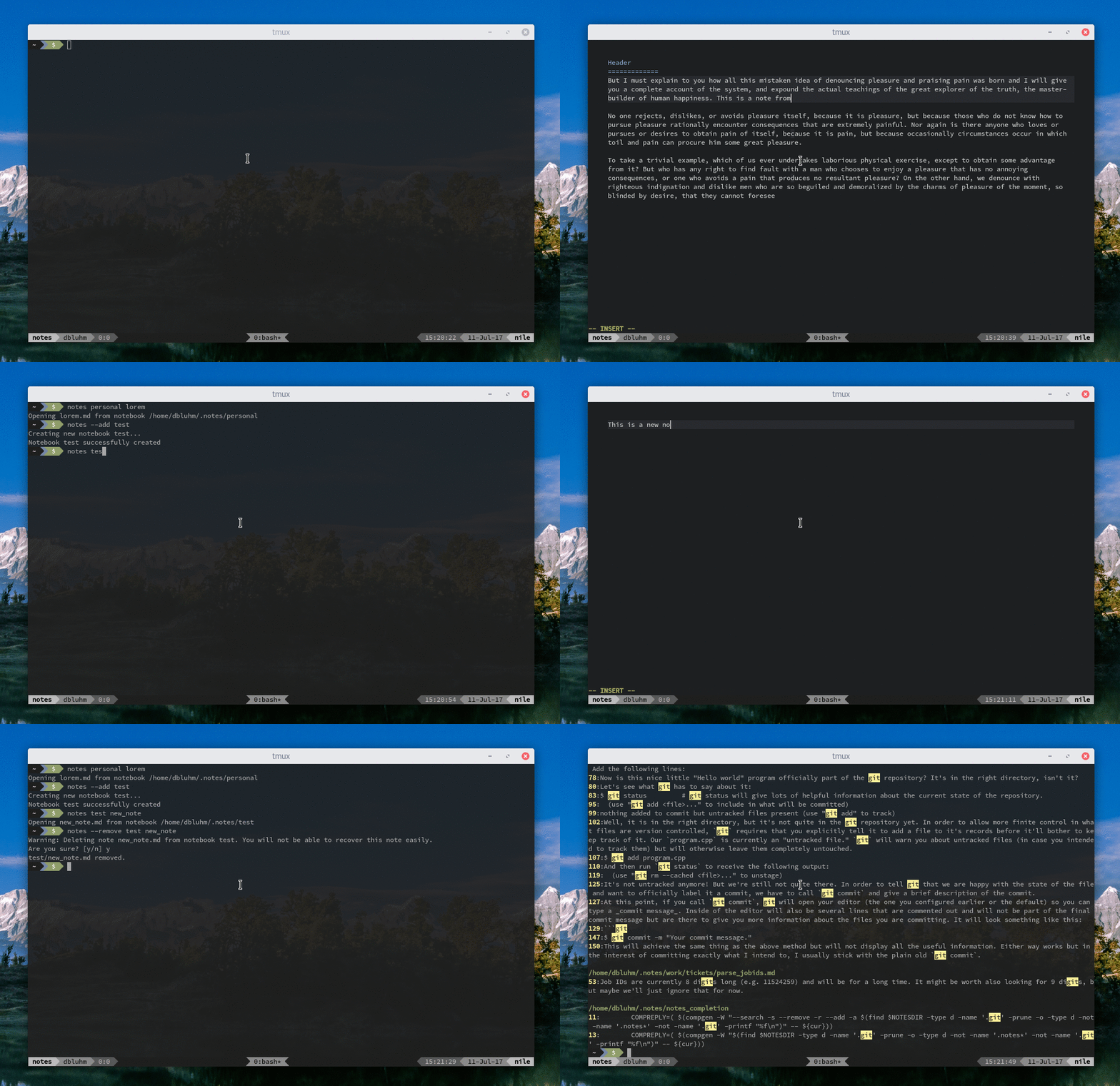
Usage:
        notes notebook [nested notebook ...] [note]
                Edit or create a note. Omitting a note name will create a new note but
                leave it unnamed.

        notes [--search|-s] SEARCH_TERM
                Search notes for SEARCH_TERM.

        notes [--remove|-r] notebook [nested notebook ...] [note]
                Remove an entire notebook or just a note within a notebook.

        notes [--add|-a] [parent notebook ...] notebook
                Create a new notebook